
 daijx
76b3e3225d
Initial commit: 基于若依工作流版本初始化
daijx
76b3e3225d
Initial commit: 基于若依工作流版本初始化
|
преди 1 седмица | |
|---|---|---|
| .. | ||
| app | преди 1 седмица | |
| resources | преди 1 седмица | |
| styles | преди 1 седмица | |
| .gitignore | преди 1 седмица | |
| .npmrc | преди 1 седмица | |
| Gruntfile.js | преди 1 седмица | |
| README.md | преди 1 седмица | |
| package.json | преди 1 седмица | |
README.md
bpmn-js Modeler + Properties Panel Example
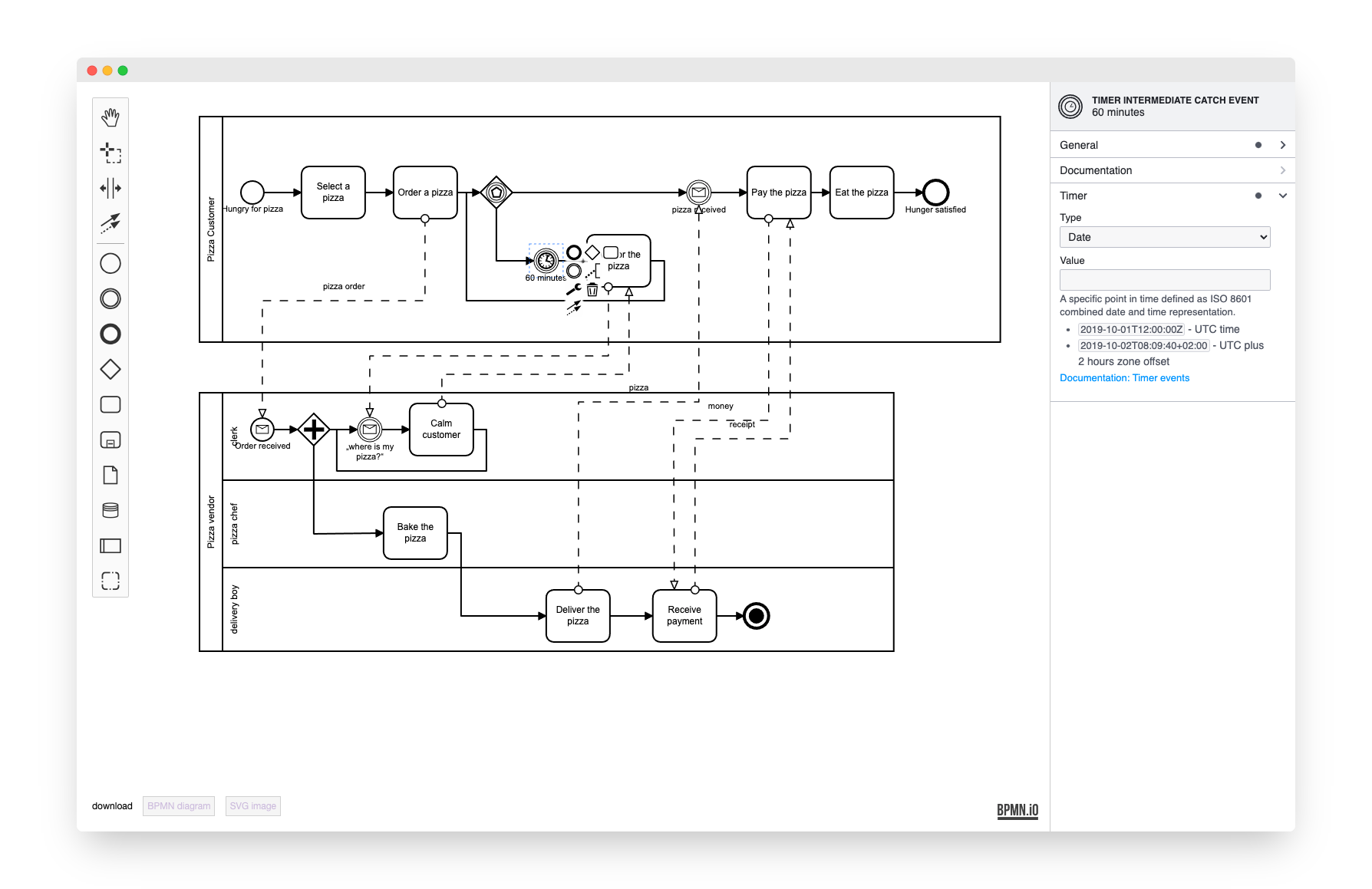
This example uses bpmn-js and bpmn-js-properties-panel. It implements a BPMN 2.0 modeler that allows you to edit execution related properties via a properties panel.
About
This example is a node-style web application that builds a user interface around the bpmn-js BPMN 2.0 modeler.
Usage
Add the properties panel to your project:
npm install --save bpmn-js-properties-panel
Additionally, if you'd like to use Camunda BPM execution related properties, include the camunda-bpmn-moddle dependency which tells the modeler about camunda:XXX extension properties:
npm install --save camunda-bpmn-moddle
Now extend the bpmn-js modeler with two properties panel related modules, the panel itself and a provider module that controls which properties are visible for each element. Additionally you must pass an element via propertiesPanel.parent into which the properties panel will be rendered (cf. app/index.js for details).
var propertiesPanelModule = require('bpmn-js-properties-panel'),
    // providing camunda executable properties, too
    propertiesProviderModule = require('bpmn-js-properties-panel/lib/provider/camunda'),
    camundaModdleDescriptor = require('camunda-bpmn-moddle/resources/camunda');

var bpmnModeler = new BpmnModeler({
  container: '#js-canvas',
  propertiesPanel: {
    parent: '#js-properties-panel'
  },
  additionalModules: [
    propertiesPanelModule,
    propertiesProviderModule
  ],
  // needed if you'd like to maintain camunda:XXX properties in the properties panel
  moddleExtensions: {
    camunda: camundaModdleDescriptor
  }
});
Building the Example
You need a NodeJS development stack with npm and installed to build the project.
To install all project dependencies execute
npm install
Build the example using browserify via
npm run all
You may also spawn a development setup by executing
npm run dev
Both tasks generate the distribution ready client-side modeler application into the dist folder.
Serve the application locally or via a web server (nginx, apache, embedded).